

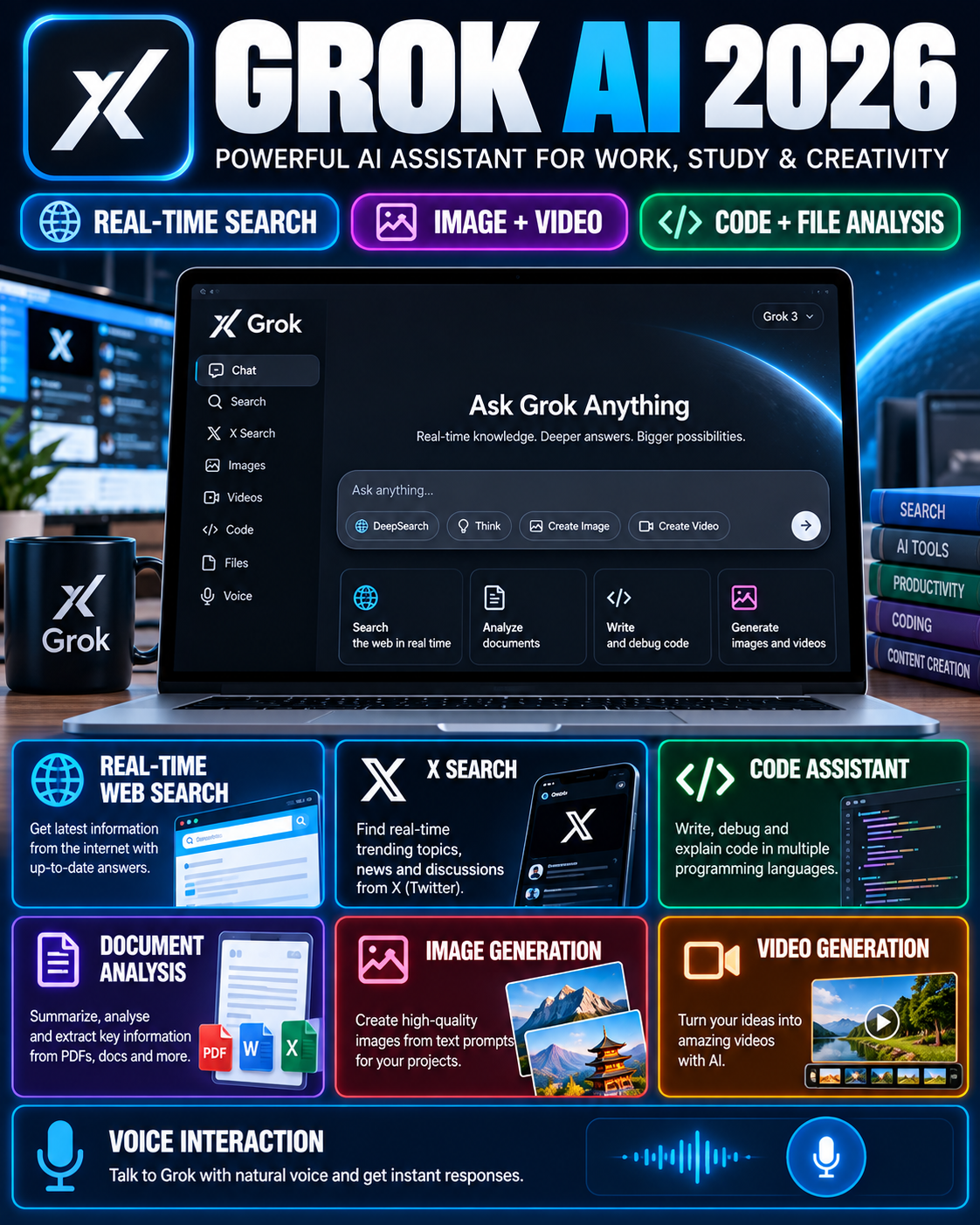






Grok is an AI assistant developed by xAI that combines conversational AI with real-time web search, X search, coding, file analysis, image generation, video generation and voice interaction. The current Grok product is available on the web, iOS and Android, while xAI continues to update its models and features. SpaceXAI
In September 2026, xAI introduced Grok 4.7, describing it as its latest model for coding and knowledge work. This makes older third-party descriptions that refer to Grok 4 or earlier versions less suitable as the primary reference for current features.
What Is Grok AI?
Grok is xAI’s conversational AI assistant designed for everyday questions, research, writing, coding and other knowledge-work tasks.
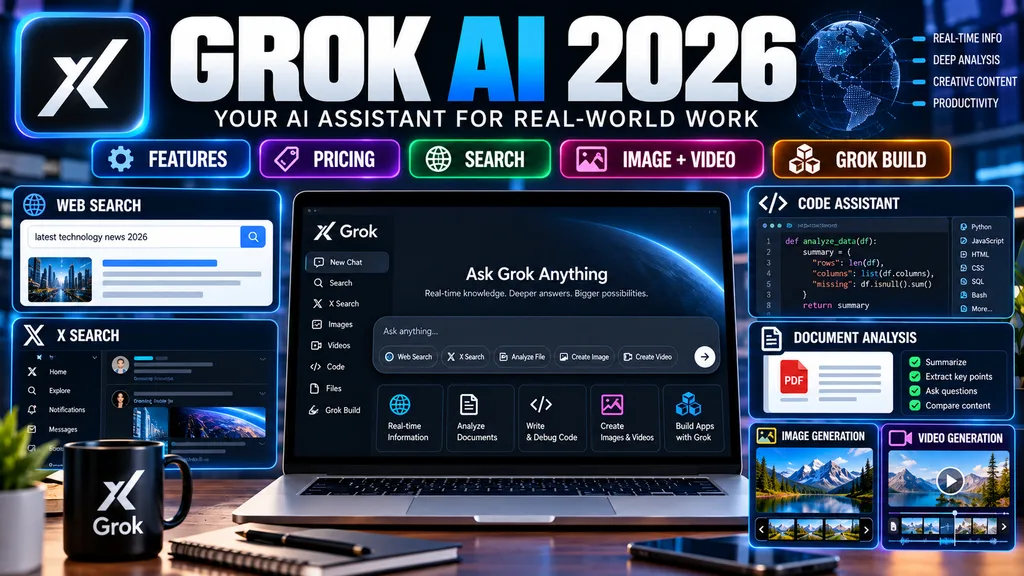
One of its notable characteristics is its integration with real-time web and X search. According to xAI, Grok can search the web and X for current information rather than relying only on previously trained knowledge.
Grok also supports multimodal tasks. Users can work with text, images, files and voice, while Grok Imagine provides image and video generation capabilities. SpaceXAI
Grok AI Latest Features in 2026
The current Grok product includes several capabilities that make it more than a basic text chatbot.
1. Real-Time Web Search
Grok can search the web for current information.
This can be useful when a question involves:
- Recent news
- Current events
- Newly released products
- Current web information
- Research
- Changing information
- Follow-up questions
xAI says Grok’s search can use live web sources and X content. SpaceXAI
For important information, users should still open and verify the original source rather than treating an AI-generated response as automatically correct.
2. Real-Time X Search
Grok also integrates with X.
This can help users investigate current posts, trends and discussions appearing on the platform. xAI specifically describes live X integration for breaking news, trends and posts. SpaceXAI
However, social-media posts can contain rumours, incomplete information or incorrect claims. X search should therefore be treated as a discovery and research tool rather than automatic proof of a claim.
3. Image Generation
Grok includes image-generation capabilities through Grok Imagine.
Users can describe the image they want and refine the result through additional prompts. xAI describes Imagine as supporting text-to-image generation as well as editing and iteration. SpaceXAI
This can be useful for:
- Blog graphics
- Concept images
- Social-media visuals
- Creative experiments
- Illustrations
- Marketing ideas
4. Video Generation
Grok Imagine also supports video generation.
The official Grok page currently describes text-to-video generation and lists video creation as part of the Imagine experience. SpaceXAI
Video-generation availability, resolution, duration and usage limits can vary by plan and may change as the product is updated.
5. File and PDF Analysis
Grok supports file uploads for analysis.
xAI’s current documentation states that Grok can work with PDFs, images, spreadsheets, code, audio and other files for analysis, extraction and summarization. Grok API Documentation
This can be useful for:
- Summarising long documents
- Extracting information
- Analysing spreadsheets
- Reviewing code
- Understanding PDFs
- Comparing information inside uploaded files
Users should avoid uploading sensitive information unless they have reviewed the applicable privacy and data-handling terms.
6. Coding Assistance
Grok can generate, explain and debug code.
The official product page lists code generation, debugging and code explanation among its capabilities. SpaceXAI
Developers can use an AI assistant for tasks such as:
- Explaining unfamiliar code
- Creating code drafts
- Debugging errors
- Generating examples
- Understanding APIs
- Working through technical problems
AI-generated code should still be tested before being used in a production environment.
7. Voice Conversations
Grok supports voice conversations.
The official product information describes natural voice interaction with low-latency back-and-forth conversation. SpaceXAI
This can be useful when typing is inconvenient or when a user prefers conversational interaction.
8. Multi-Agent Mode
Grok also has a multi-agent capability for more complex tasks.
xAI describes multiple agents working in parallel on difficult questions, with their results being combined into a final response. SpaceXAI
This approach is intended for tasks that may benefit from breaking a larger problem into multiple sub-problems.
9. Grok Build
Grok Build allows users to describe an app, game, website or dashboard and have Grok create a working version within the conversation.
xAI announced in August 2026 that Grok Build was made available across its plans on web and mobile. SpaceXAI
This makes Grok relevant not only for answering questions but also for experimenting with interactive digital projects.
Grok 4.7: What Changed?
xAI introduced Grok 4.7 on 21 September 2026.
The company describes Grok 4.7 as its most capable model for coding and knowledge work. xAI says the model was trained with a longer reinforcement-learning run focused on harder, longer-running tasks and improved self-verification. SpaceXAI
Because AI models can change quickly, users should check the official xAI documentation when a specific model name or capability is important.
Grok AI Plans and Pricing
xAI’s current pricing page lists several Grok plans.
Free
The Free plan is listed at $0 per month.
xAI currently lists access to capabilities including:
- Real-time web and X search
- Voice mode
- Connectors
Usage limits apply. SpaceXAI
SuperGrok
The current xAI pricing page lists SuperGrok at $30 per month.
The page lists higher rate limits and access to features including:
- Grok 4.6
- Grok Bot
- Connectors
- Expert
- Image generation
- Video generation
Pricing and included features can change, so users should verify the official pricing page before subscribing. SpaceXAI
SuperGrok Plus
The current pricing page lists SuperGrok Plus at $100 per month.
It includes the SuperGrok capabilities plus higher usage and 1080p video creation, according to the current pricing page. SpaceXAI
Business and Enterprise
xAI also provides Business and Enterprise options with organisational features such as team management, access controls and enterprise-oriented security and administration features. SpaceXAI
Important Pricing Note
AI subscription pricing changes frequently.
The Futurepedia Grok listing is useful for discovering the tool, but its page contains older model and pricing information and itself warns that pricing may not be current. The official xAI pricing page should therefore be used for the final subscription decision.
How to Use Grok AI
Getting started with Grok is straightforward.
Step 1: Open Grok
Open the official Grok website and sign in.
Open Grok on the official website
Grok is also available through supported iOS and Android applications. SpaceXAI
Step 2: Enter Your Prompt
Write what you want Grok to do.
For example:
Explain this government notification in simple English and list the important dates.
A clear prompt generally gives the system more useful context.
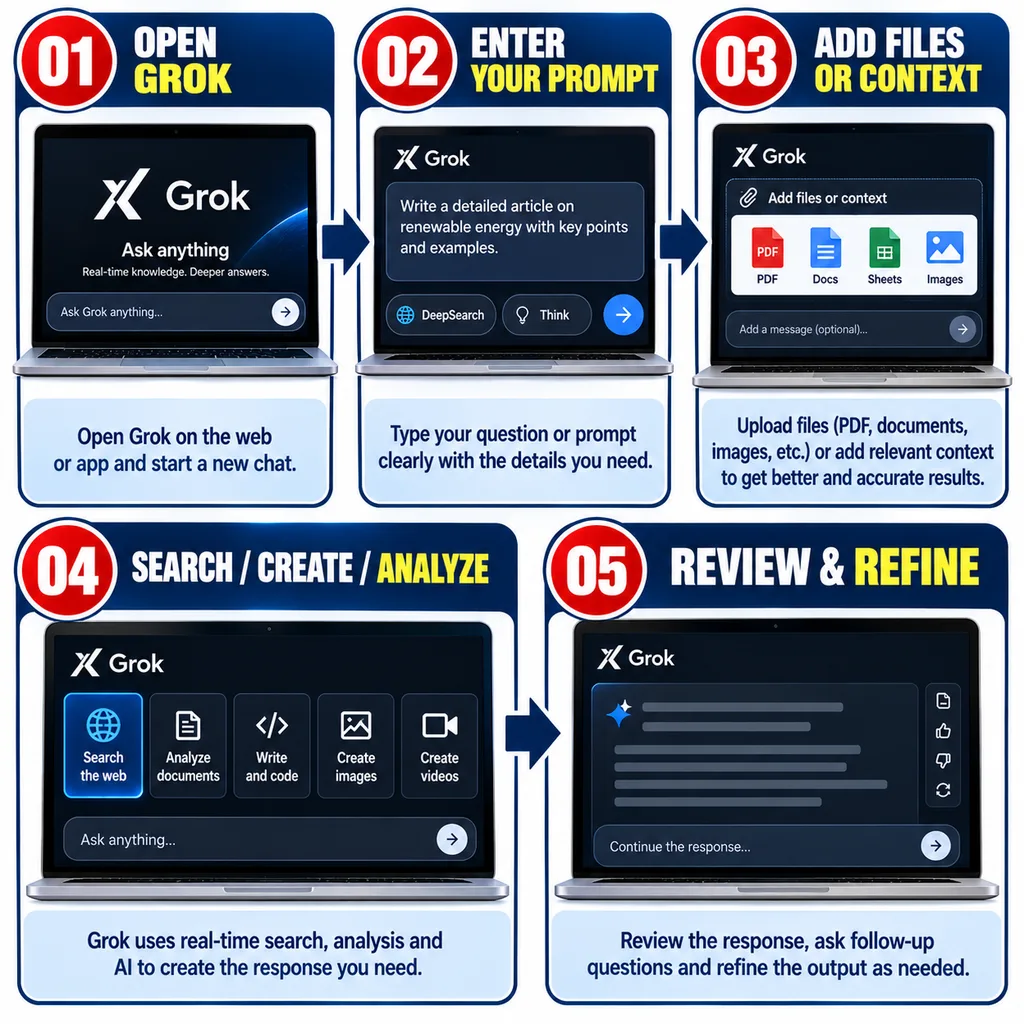
Step 3: Add Context
If the task depends on a document, image or other information, provide the relevant material.
For example:
- Upload a PDF
- Add an image
- Paste text
- Explain your objective
- Specify the desired output format
Step 4: Use Search When Current Information Matters
For current topics, use Grok’s available search capabilities.
Ask it to identify the relevant primary sources and then verify important claims against those sources.
Step 5: Review the Response
Do not automatically publish or act on an AI response.
Check:
- Dates
- Numbers
- Names
- Prices
- Official links
- Legal or regulatory information
- Financial information
- Important technical claims
Step 6: Refine the Result
Use follow-up prompts to improve the answer.
For example:
Make this explanation shorter and easier for a Class 8 student to understand.
or:
Separate confirmed facts from information that needs verification.
Practical Uses of Grok AI
Grok can be used across several areas.
For Students
Students can use it for:
- Concept explanations
- Study questions
- Summaries
- Brainstorming
- Coding practice
- Language assistance
- Research support
AI should support learning rather than replace independent study.
For Content Creators
Content creators can use Grok for:
- Topic research
- Content outlines
- Drafting
- Idea generation
- Image creation
- Video experiments
- Current-information research
Important factual claims should still be checked against primary sources before publication.
For Developers
Developers can use Grok for:
- Code generation
- Debugging
- Code explanations
- Technical research
- Architecture discussions
- Long-running development tasks
For Researchers
Real-time web search, file analysis and conversational follow-ups can make Grok useful for research workflows.
However, researchers should distinguish between an AI-generated summary and the original evidence.
For Business Work
Grok can assist with:
- Drafting emails
- Research
- Data interpretation
- Content ideas
- Document analysis
- Coding
- Workflow experimentation
Business users should be particularly careful about uploading confidential company information.
Grok AI vs Traditional Search
Traditional search generally returns a list of webpages that users inspect individually.
An AI assistant can instead:
- Interpret a question.
- Search available sources.
- Summarise information.
- Answer follow-up questions.
- Help organise the findings.
Grok combines conversational interaction with real-time web and X search. SpaceXAI
That does not mean an AI response should replace the original source. For important decisions, the underlying source remains important.
Grok AI Privacy and Sensitive Information
Users should think carefully before uploading sensitive documents to any AI service.
Avoid unnecessarily sharing:
- Passwords
- Banking credentials
- OTPs
- Credit/debit card information
- Identity numbers
- Confidential business documents
- Private customer databases
- Sensitive personal records
Before using an AI tool for confidential work, review the provider’s current privacy and data-handling documentation.
Limitations of Grok AI
Grok can be useful, but it has limitations.
AI Responses Can Be Incorrect
Even when an answer sounds confident, it can contain errors.
Search Results Need Verification
Real-time search does not automatically make every source reliable.
Social Media Can Contain Unverified Claims
X can be useful for discovering current information, but posts should not automatically be treated as verified facts.
Features Can Change
Models, plans, limits, pricing and available features can change frequently.
Paid Features May Have Usage Limits
A subscription does not necessarily mean unlimited access to every capability.
Grok AI: Who Can Use It?
Grok can be useful for a broad range of users, including:
- Students
- Teachers
- Researchers
- Developers
- Content creators
- Business users
- Technology enthusiasts
- Professionals working with documents and data
The usefulness of a particular feature depends on the user’s task, plan and current product availability.
Frequently Asked Questions
What is Grok AI?
Grok is an AI assistant developed by xAI for conversation, research, search, coding, file analysis, image generation, video generation and other tasks.
Is Grok AI free?
Yes. xAI currently lists a Free plan at $0 per month, although usage limits apply. SpaceXAI
How much does SuperGrok cost?
The current xAI pricing page lists SuperGrok at $30 per month. SpaceXAI
Does Grok have real-time search?
Yes. xAI lists real-time web and X search as Grok capabilities. SpaceXAI
Can Grok generate images?
Yes. Grok Imagine provides image-generation capabilities. SpaceXAI
Can Grok generate videos?
Yes. Grok Imagine supports video generation, with available resolution, duration and usage depending on the current product and plan. SpaceXAI
Can Grok analyse PDFs?
Yes. xAI’s documentation lists PDF and other file uploads for analysis, extraction and summarisation. Grok API Documentation
Can Grok help with coding?
Yes. Coding, code generation and debugging are among the capabilities listed by xAI. SpaceXAI
What is Grok 4.7?
Grok 4.7 is the model xAI introduced in September 2026 for coding and knowledge work. SpaceXAI
Is Futurepedia an official Grok website?
No. Futurepedia is a third-party AI-tool directory. It can be useful for discovering tools, but current Grok features and pricing should be checked against xAI’s official website and documentation. futurepedia
Official Grok Resources
Grok — Official xAI Product Page
Editorial Integrity Disclaimer
Grok’s models, features, pricing, usage limits and availability can change frequently. This guide uses xAI’s current official product information as the primary reference and Futurepedia as a secondary discovery source. Before purchasing a plan or relying on a specific capability, verify the latest information on the official xAI website.