

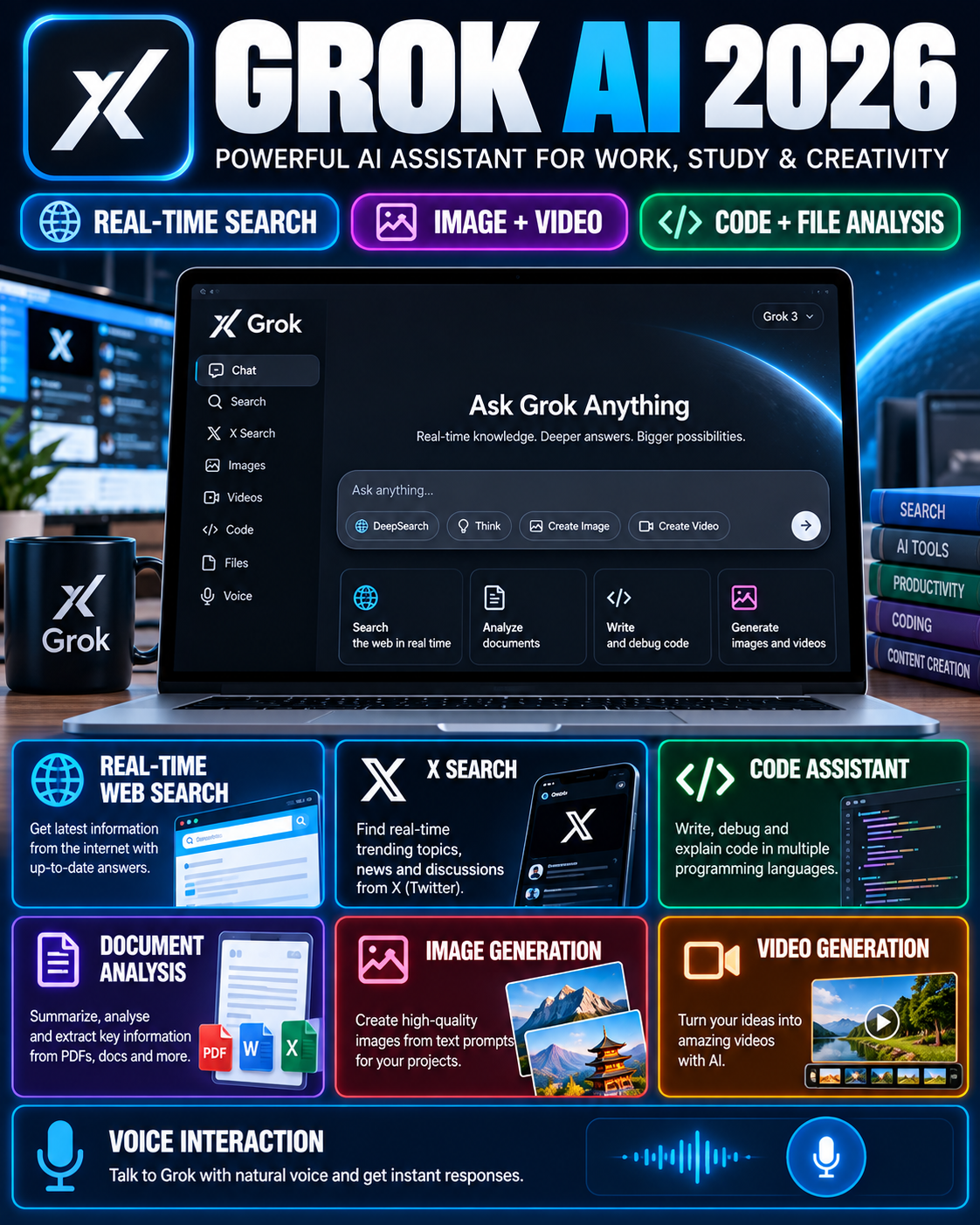






Google Gemini has developed from a conversational AI assistant into a broader productivity and creation platform covering research, writing, coding, file analysis, image generation, video creation and Google ecosystem workflows. Current Google documentation shows that Gemini Apps support multiple model tiers and feature limits, while paid Google AI plans provide expanded access to several resource-intensive capabilities.
For users creating educational content, recruitment guides or research-heavy website posts, Gemini can be useful for summarising documents, analysing uploaded files, structuring drafts and exploring complex topics. It can also work with images, videos and other supported files rather than being limited to plain text conversations.
The official Gemini web application is available through Google Gemini. Users can sign in with a Google Account to access additional functionality and preserve activity where applicable.

For readers following practical digital tools, Desk4Info’s main website also publishes education and technology-related information.
Google Gemini Features at a Glance
| Feature | Current Information |
|---|---|
| AI Assistant | Text-based conversation, brainstorming, planning, writing and problem solving |
| File Analysis | Documents, spreadsheets, images, videos and other supported files |
| Deep Research | Multi-source research using Google Search and selected additional sources |
| Image Generation | Nano Banana 2; additional Nano Banana Pro access for paid subscribers |
| Video Generation | Available in supported paid Google AI plans |
| Canvas | Create and edit documents, apps, slides and code |
| Google Workspace | Gemini features are available across selected Google productivity apps depending on plan |
| Free Access | Available with standard usage limits |
Deep Research, Files & Long Documents
Gemini’s research workflow is particularly relevant for users handling government notifications, education updates and lengthy reference material. Google says Deep Research can use Google Search by default and can also incorporate Gmail, Drive, uploaded files and NotebookLM notebooks when those sources are available and connected.
File analysis is another important capability. Gemini Apps can accept documents, spreadsheets, notebooks, photos and videos, with current documentation allowing up to 10 files in one prompt, subject to availability. Individual non-video files can be up to 100 MB, while videos can be up to 2 GB.
For large documents, subscription level matters because Google currently lists context windows of 32K tokens without an AI plan, 128K for AI Plus and up to 1 million tokens for AI Pro and AI Ultra.
⚠️ Critical Mandatory Warning: Gemini-generated information should not automatically be treated as verified fact. Recruitment dates, eligibility, fees, government orders and other consequential information should be checked against the original official document before publication.
Image, Video & Creative Generation
Gemini’s creative capabilities have expanded significantly. Google currently documents Nano Banana 2 for image generation and editing inside Gemini Apps, while paid subscribers can access Nano Banana Pro for additional image regeneration capabilities. Availability can vary by country, language and account type.
Video generation is also now part of the Google AI ecosystem. Google’s current Gemini Apps limits page lists video generation for AI Plus, AI Pro and AI Ultra, while Flow provides more specialised video workflows using Veo models and Gemini Omni Flash.
This distinction is useful for content creators. Gemini can help with ideation and generation inside the Gemini environment, while Flow is designed more specifically around AI video production workflows.
Google AI Plans & Usage Limits
Google’s current documentation describes four relevant access levels for Gemini Apps: standard access without an AI plan, AI Plus, AI Pro and AI Ultra. Usage limits are compute-based and depend on prompt complexity, model, feature and chat length; Google states that limits can change.
Google currently describes AI Plus as providing higher Gemini usage limits and expanded access to creative and productivity features. In India, Google announced AI Plus at ₹399 per month when it launched, with an introductory ₹199 price for the first six months.
Google AI Pro provides expanded Gemini limits, access to advanced models and Deep Research, Google Flow access, Gemini within productivity applications and expanded NotebookLM capabilities. Current Google One documentation lists Pro at $19.99/month on its global pricing page, while actual India pricing and promotions should be checked on the user’s Google account checkout page.
Practical Uses for Students & Content Creators
Gemini can support several stages of a content workflow without replacing editorial verification.
A student can use it to convert complex study material into explanations, quizzes or structured revision notes. Google also documents Canvas for creating documents, slides, apps and code from a Gemini conversation.
A website publisher can use file uploads to inspect notification PDFs, extract dates, organise headings and identify missing information. Deep Research can then help investigate a topic using multiple sources before the writer prepares the final article.
The important distinction is between assistance and verification. AI can accelerate research and drafting, but official notifications remain the authoritative source for recruitment and examination facts.
Official Google Gemini Directory
| Resource | Official / Reference Link |
|---|---|
| Gemini App | Open Google Gemini |
| Google AI Plans | View Google AI Plans |
| Gemini Help | Open Gemini Help Centre |
| Gemini File Upload Guide | View File Analysis Guide |
| Gemini Deep Research | View Deep Research Guide |
| Google Flow | Open Google Flow Help |
| Futurepedia Reference | View Gemini Tool Profile |
Candidate/Reader FAQs
Is Google Gemini free to use?
Yes, Gemini Apps provide access without a Google AI plan, although standard usage limits apply. AI Plus, Pro and Ultra provide expanded limits and additional feature access.
Can Gemini analyse PDF and other files?
Yes, Gemini can analyse supported documents, spreadsheets, images, videos and other files. Up to 10 files can currently be added to a prompt subject to availability and file-specific limits.
Can Gemini create images and videos?
Yes, current Gemini documentation includes image generation and paid-plan video generation. Google’s Flow platform additionally supports Veo and Gemini Omni video workflows with different resolutions, durations and feature availability.
Editorial Integrity Disclaimer
Google Gemini ke features, model names, usage limits, subscription benefits aur availability frequently change ho sakte hain. Isliye readers ko subscription purchase karne se pehle current Google account checkout page aur official Google documentation verify karni chahiye.
Futurepedia ko secondary reference ke roop mein use kiya gaya hai; pricing aur feature availability ke liye official Google sources ko primary authority maana gaya hai.
Published information ko September 2026 mein available official Google documentation ke against cross-check kiya gaya hai. Google ke updated terms, regional availability aur usage limits future mein change ho sakte hain.