








Let’s be honest: just hearing the words “Income Tax” is enough to make most people want to close their browser tabs.
For years, dealing with taxes felt like navigating a maze of complicated paperwork, long queues, and confusing jargon. But here is the good news: the government’s official Income Tax e-Filing Portal has completely changed the game. Today, virtually every single tax-related task can be completed from your phone or laptop in a few clicks.
Whether you need to file your annual return, check why your tax refund is delayed, or respond to an official notice, everything is centralized under one roof.
In this comprehensive, step-by-step guide, we break down all the essential services available on the e-Filing portal and show you how to master them—saving you time, stress, and money.
What is the Income Tax e-Filing Portal?
The e-Filing portal is a secure, official online platform designed to make tax compliance simple and transparent for citizens. Instead of paying hefty fees to agents for basic tasks, you can manage your complete financial tax identity directly online.
Why You Should Bookmark the Portal Today:
- 24/7 Access: Check your tax status anytime, anywhere.
- Paperless & Fast: No physical documents to mail or submit in person.
- Instant Confirmation: Get immediate proof of filing and processing updates.
- High Security: Secure login integrated with PAN, Aadhaar, and net banking.
Top 6 Online Tax Services Every Citizen Must Know
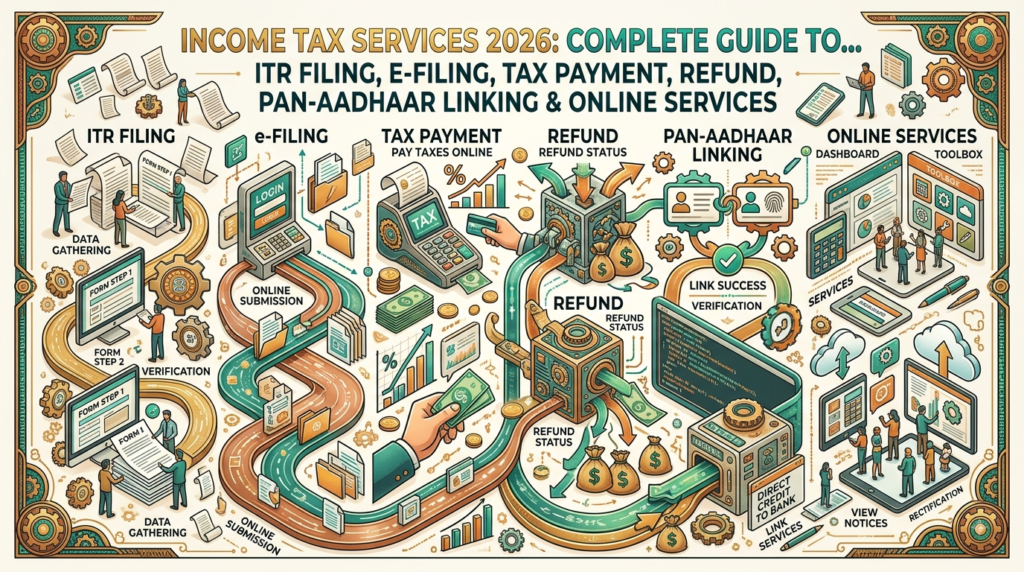
+-------------------------------------------------------------------------+
|                    INCOME TAX E-FILING PORTAL SERVICES                  |
+-------------------+--------------------------------+--------------------+
| 1. File ITR       | 2. Track Refund Status         | 3. Download Form 26AS|
| 4. Review AIS/TIS | 5. Manage E-Notices            | 6. e-Verify Return |
+-------------------+--------------------------------+--------------------+
1. File Your Income Tax Return (ITR) Online
Filing your return is no longer a day-long ordeal. The portal offers pre-filled return forms that automatically import your salary details, interest income, and tax deductions already reported by your employer or bank.
- How it works: Log in, choose the appropriate ITR form (such as ITR-1 or ITR-4), review your pre-filled financial details, make any necessary adjustments, and submit.
- Why it matters: Filing on time helps you avoid late filing penalties, claim tax refunds, and maintain a clean financial record.
2. Check Your ITR & Tax Refund Status
Ever wondered, “Where is my tax refund?” You don’t have to guess. The portal provides live, step-by-step tracking of your submitted return.
Common Status Descriptions & What They Mean:
| Status Shown | What It Actually Means |
| Submitted / Verified | Your return has been successfully received and verified. |
| Under Processing | The tax department’s system is actively processing your return. |
| Processed with Refund | Your return is cleared, and your refund is queued for bank transfer. |
| Defective Return | There is a mismatch or missing information that requires your response. |
3. Download Critical Tax Documents
When applying for a home loan, personal loan, or foreign visa, authorities will inevitably ask for your tax records. You can download official, verified copies of these documents in seconds:
- Form 26AS: A consolidated statement showing all taxes deducted at source (TDS) on your behalf by employers, banks, or clients.
- ITR-V (Acknowledgment Receipt): The official proof that you filed your tax return for a given assessment year.
- Tax Clearance Certificates: Required for specific administrative, legal, or international requirements.
4. View Your Comprehensive Tax Profile (AIS & TIS)
To ensure complete transparency, the tax department provides two key statements:
- Annual Information Statement (AIS): Displays all financial transactions recorded under your PAN—including stock market trades, mutual fund dividends, savings bank interest, property purchases, and foreign remittances.
- Taxpayer Information Summary (TIS): A simplified, aggregated summary of your AIS data used directly to populate your tax returns.
Pro Tip: Always review your AIS before filing your return. Mismatches between what you declare and what is shown in your AIS are the #1 cause of automated tax notices!
5. Manage Tax Notices & Legal Communications
Receiving an official email or SMS from the Income Tax Department can sound alarming, but most communications are simple clarification requests.
Through the portal’s ‘e-Proceedings’ tab, you can:
- View any outstanding notice or communication issued to your PAN.
- Read the reason for the notice (e.g., income mismatch or mathematical error).
- Submit your response or agree/disagree online without visiting a tax office.
6. Access Additional Essential Taxpayer Services
Beyond basic filing, the portal offers several day-to-day administrative tools:
- e-Verification: Verify your filed return instantly using Aadhaar OTP, net banking, or Demat account details.
- Link PAN with Aadhaar: Check connection status or complete mandatory linking.
- Pay Taxes Online: Pay Advance Tax or Self-Assessment Tax directly via UPI, net banking, or credit card.
- Change Bank Details: Update your primary bank account to ensure seamless refund deposits.
Why Keeping Your Tax Records Updated Truly Matters
Maintaining an up-to-date tax history isn’t just about complying with the law—it directly impacts your personal financial freedom:
- Fast-Track Loan Approvals: Lenders demand the last 2 to 3 years of ITR receipts to verify your income before approving home, auto, or business loans.
- Hassle-Free Visa Processing: Foreign embassies (especially for the US, UK, Canada, and Schengen regions) evaluate financial stability via your tax filing history.
- Carry Forward Losses: If you incur losses in business or stock trading, filing your return on time allows you to offset those losses against future profits to save taxes later.
- Avoid Unnecessary Penalties: Delaying returns leads to late fees, interest charges on unpaid balances, and potential scrutiny notices.
5 Common Mistakes to Avoid on the e-Filing Portal
- Forgetting to e-Verify: Filing your ITR is only step one. If you do not e-Verify within the specified deadline (usually 30 days), your return is treated as invalid!
- Ignoring Savings Account Interest: Bank interest is taxable past certain thresholds. Always report interest earned across all your active accounts.
- Selecting the Wrong ITR Form: Filing on the wrong form invalidates your submission. Double-check whether you need ITR-1, ITR-2, ITR-3, or ITR-4 based on your income sources.
- Not Pre-Validating Your Bank Account: Tax refunds can fail or bounce if your bank account isn’t pre-validated and linked to your PAN on the portal.
- Waiting Until the Last Minute: Portal traffic spikes heavily right before filing deadlines, which can cause slow loading times and payment failures. File early to avoid the rush!
Frequently Asked Questions (FAQs)
Q1. Is it mandatory to file an Income Tax Return if my salary is below the taxable limit?
While not legally mandatory if your total income falls below the basic exemption threshold, filing a Nil Return is highly recommended. It serves as official proof of income for loans, credit cards, and visa applications.
Q2. What happens if I make a mistake while filing my ITR?
Don’t panic. You can easily file a Revised Return under Section 139(5) on the portal to correct any missing income or incorrect deduction claims before the official deadline.
Q3. How long does it take to receive a tax refund?
Once your return is successfully e-Verified, refunds are typically processed and directly credited to your pre-validated bank account within 10 to 45 days.
Final Thoughts: Take Control of Your Financial Health
The online Income Tax portal puts complete control of your financial profile in your hands. Taking 15 minutes to log in, review your details, and clear pending actions can save you hours of stress down the road.
Bookmark the official portal today, keep your information updated, and make tax filing a routine part of your yearly financial wellness!