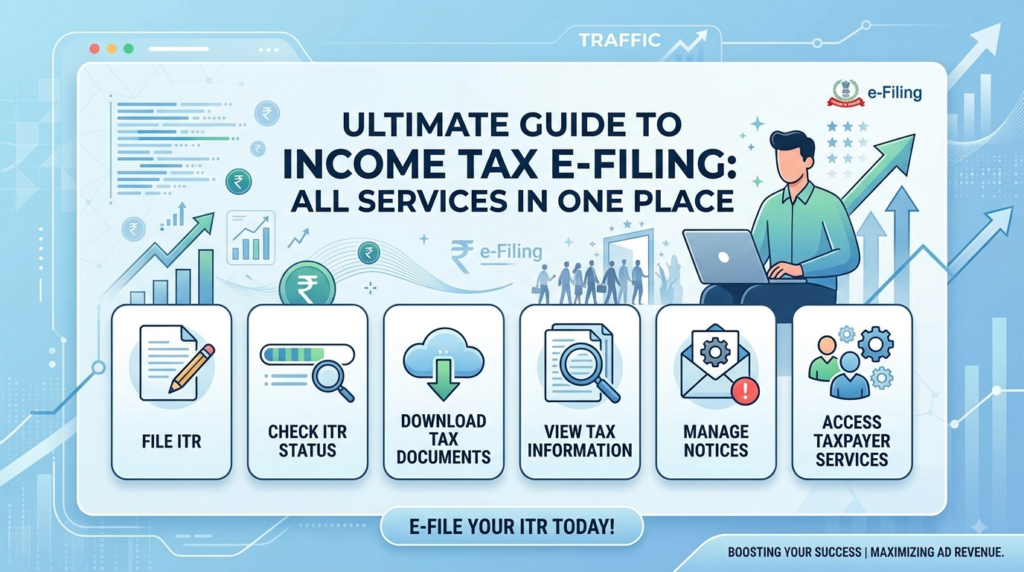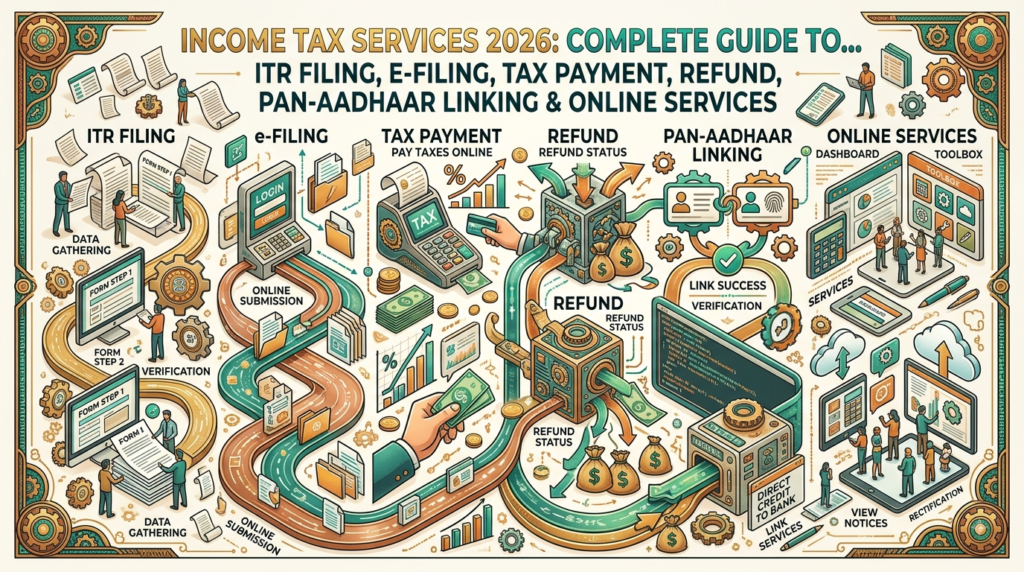









Filing an Income Tax Return is no longer limited to visiting a tax office or depending entirely on a professional. Today, taxpayers can access many Income Tax Services online, including ITR filing, tax payment, refund tracking, AIS/TIS checking, PAN verification, Aadhaar linking, e-Verification and tax-related requests.
But online tax filing can still be confusing. Many taxpayers search for how to file ITR online, ITR status check, income tax refund status, AIS statement, Form 26AS, PAN-Aadhaar link, income tax login, e-verify ITR, income tax notice, tax payment online and ITR filing last date without knowing which service they actually need.
This guide explains the major Income Tax Services in India in simple language and provides a practical starting point for taxpayers, salaried employees, professionals, freelancers, business owners, pensioners and other taxpayers.
Important: Income-tax rules, tax rates, ITR forms, deadlines, exemptions, deductions and procedures can change. Always verify the applicable rules for the relevant Assessment Year/Tax Year from the official Income Tax Department before filing or making a tax decision.
What Are Income Tax Services?
Income Tax Services are online and offline facilities provided by the Income Tax Department to help taxpayers comply with India’s direct-tax laws.
The official e-Filing portal currently provides services related to ITR filing, forms, tax processing, refunds, rectification, e-Verification and other taxpayer services. (Income Tax Department)
Common services include:
- Income Tax Return filing
- ITR status checking
- Income Tax refund status
- Income Tax login and registration
- e-Verification
- AIS checking
- TIS information
- Tax payment
- PAN verification
- PAN-Aadhaar related services
- Tax calculation
- Income and Tax Estimator
- ITR-V related services
- Rectification requests
- Responding to tax notices
- Outstanding tax demand services
- Service-request tracking
- Jurisdictional Assessing Officer information
Why Are Income Tax Services Important?
Income tax compliance is not only about paying tax.
A taxpayer may need to:
Report income → Claim eligible deductions → File ITR → Verify return → Track processing → Receive refund or respond to demand
For some people, an ITR may also be useful as financial documentation when applying for:
- Loans
- Visas
- Certain financial services
- Business requirements
- Professional requirements
However, whether an ITR is legally required depends on the taxpayer’s circumstances and applicable tax law.
Who May Need to File an Income Tax Return?
Not everyone has the same filing obligation.
The requirement to file an ITR depends on factors such as:
- Total income
- Residential status
- Nature of income
- Age and applicable provisions
- Business or professional activity
- Certain specified transactions or conditions
- Other requirements under the Income-tax Act and applicable rules
Therefore, taxpayers should not rely on a simple statement such as “if your income is below X, you never need to file ITR.”
The correct answer depends on the applicable law for the relevant year.
Income Tax e-Filing Portal
The official Income Tax e-Filing portal is the main online platform for many taxpayer services.
Taxpayers can register, log in and access services through the portal.
The Income Tax Department currently provides separate registration facilities for taxpayers and certain other categories. (Income Tax Department)
Official Income Tax e-Filing Portal
Always check the website domain before entering your PAN, Aadhaar, bank information or OTP.
How to Register on the Income Tax e-Filing Portal
A taxpayer who does not already have an account can use the official registration facility.
The general process is:
- Open the official Income Tax e-Filing portal.
- Select Register.
- Choose the appropriate taxpayer category.
- Provide the requested identification details.
- Complete the required verification.
- Create login credentials.
- Log in to access taxpayer services.
The exact registration screens can change as the portal is updated.
The official Income Tax Department currently provides a dedicated Register for e-Filing (Taxpayer) service. (Income Tax Department)
Income Tax Login
Once registered, taxpayers can log in to access their tax records and services.
The portal provides login-based services for:
- ITR filing
- Filed-return information
- Refund information
- Tax-related notices
- AIS
- Service requests
- e-Proceedings
- Rectification
- Other taxpayer services
The Income Tax Department’s official help centre provides dedicated guidance for e-Filing login. (Income Tax Department)
How to File ITR Online
ITR filing is one of the most searched Income Tax Services.
The broad process is:
Collect Documents → Check AIS/Form 26AS → Select Correct ITR → Enter Income → Claim Eligible Deductions → Review Tax → Submit → e-Verify
The official e-Filing portal currently provides online filing facilities for multiple ITR forms, including ITR-1, ITR-2 and ITR-4, with other forms and utilities available according to the applicable filing requirements. (Income Tax Department)
Step 1: Collect Your Income Documents
Before filing an ITR, collect relevant documents such as:
- Form 16
- Salary details
- Bank interest information
- Capital-gains information, where applicable
- Rental-income information
- Business/professional records
- Deduction-related documents
- TDS information
- Tax-payment details
- AIS
- Form 26AS
Not every taxpayer needs every document.
Step 2: Check AIS Before Filing
The Annual Information Statement (AIS) is an important source of tax-related information.
It can contain information reported to the Income Tax Department from various reporting entities.
Taxpayers should review AIS carefully before filing.
If information appears incorrect, the applicable feedback mechanism can be used.
The Income Tax Department provides dedicated AIS-related services and guidance on its portal. (Income Tax Department)
What Is TIS?
TIS stands for Taxpayer Information Summary.
It provides a summarized view of certain information available to the taxpayer in the tax-information system.
AIS and TIS can help taxpayers cross-check information before filing an ITR.
However, taxpayers should not blindly copy every figure into an ITR without understanding what the transaction represents.
Step 3: Select the Correct ITR Form
Selecting the correct ITR form is important.
The appropriate form depends on the taxpayer’s income sources and other applicable conditions.
For example, the official e-Filing portal currently provides separate online filing facilities for ITR-1 (Sahaj), ITR-2 and ITR-4 (Sugam), among other forms. (Income Tax Department)
A taxpayer should determine the applicable form based on the rules for the relevant assessment year.
ITR-1: Sahaj
ITR-1 is intended for eligible individuals meeting the conditions prescribed for that form.
It is commonly associated with straightforward income situations, but eligibility depends on the applicable rules.
Do not select ITR-1 simply because you are a salaried employee.
Other income or circumstances may make another ITR form applicable.
ITR-2
ITR-2 applies to certain individuals and Hindu Undivided Families who are not eligible to use ITR-1 and who meet the conditions prescribed for ITR-2.
It may be relevant for taxpayers with certain types of income such as capital gains or multiple income sources, subject to the applicable rules.
ITR-3
ITR-3 is generally relevant to individuals and HUFs having income from business or profession where the applicable conditions require ITR-3.
Business owners, professionals and traders should carefully determine the correct form rather than choosing a form based only on their occupation.
ITR-4: Sugam
ITR-4 is available for eligible taxpayers under the applicable presumptive-tax provisions and other prescribed conditions.
The official Income Tax Department currently provides an online ITR-4 filing facility. (Income Tax Department)
Eligibility should always be checked for the relevant assessment year.
ITR Filing for Salaried Employees
Salaried employees commonly receive Form 16 from their employer.
However, Form 16 should not necessarily be treated as the only source of information for filing an ITR.
Before filing, a salaried taxpayer should consider:
- Salary income
- Bank interest
- Other income
- TDS
- Capital gains, if any
- Deductions
- AIS
- Form 26AS
- Applicable tax regime
ITR Filing for Freelancers
Freelancers may have income from professional or independent work.
Depending on the nature and amount of income and applicable provisions, different tax treatment and ITR forms may apply.
Freelancers should maintain records of:
- Professional receipts
- Expenses
- TDS
- Bank transactions
- Invoices
- Tax payments
- Other income
The appropriate tax provisions should be checked for the relevant year.
ITR Filing for Business Owners
Business taxpayers generally need more detailed financial information than a simple salaried taxpayer.
Depending on the business and applicable provisions, information may include:
- Turnover
- Business expenses
- Profit
- Assets
- Liabilities
- TDS/TCS
- GST-related information
- Capital gains
- Other income
Some businesses may also have audit or other compliance requirements.
Professional assistance may be appropriate where the tax position is complex.
Income Tax and Capital Gains
If you earn income from selling investments or other capital assets, tax treatment can depend on:
- Type of asset
- Purchase date
- Sale date
- Purchase cost
- Sale consideration
- Holding period
- Applicable exemptions
- Applicable tax provisions
This is an area where taxpayers should avoid relying on generic online calculations without checking the rules applicable to the transaction.
New Tax Regime vs Old Tax Regime
The choice between tax regimes can materially affect tax computation for eligible taxpayers.
The correct option depends on:
- Income
- Deductions
- Exemptions
- Investments
- Nature of income
- Applicable provisions
- Assessment year
The Income Tax Department provides taxpayer guidance and FAQs concerning the new tax regime and old tax regime. (Income Tax Department)
Do not choose a tax regime only because someone says it is “always better.”
The better option can vary from taxpayer to taxpayer.
Income Tax Calculator
An Income Tax Calculator can help taxpayers estimate tax liability.
The official e-Filing portal provides an Income Tax Calculator and Income and Tax Estimator among its taxpayer resources. (Income Tax Department)
A calculator should be treated as an estimation tool.
Final tax liability depends on the taxpayer’s actual facts and applicable law.
What Is e-Verification of ITR?
After filing an ITR, the return generally needs to be verified using an available prescribed method.
e-Verification is an electronic method of verifying the return.
The Income Tax Department provides e-Verification-related services through the e-Filing portal. (Income Tax Department)
A taxpayer should not assume that simply clicking “submit” completes the entire compliance process.
Always check the final status.
ITR-V
ITR-V is associated with verification of an income-tax return in situations where the return is filed without electronic verification through an applicable method.
Taxpayers should follow the verification instructions displayed by the Income Tax Department for the relevant filing.
The official portal also provides guidance concerning ITR-V and the verification timeline. (Income Tax Department)
How to Check ITR Status
After filing, taxpayers often search for:
“ITR status check”
The official Income Tax e-Filing portal provides a View ITR Status facility. (Income Tax Department)
A typical process is:
- Visit the Income Tax e-Filing portal.
- Log in.
- Open the applicable ITR/status section.
- Enter or select the requested details.
- Review the filing/processing status.
The exact portal interface may change.
What Does ITR Processing Mean?
After an ITR is filed and verified, the Income Tax Department processes the return.
Possible outcomes can include:
- Return processed
- Refund determined
- Tax demand
- Intimation
- Further clarification or action
- Other processing-related communication
A taxpayer should read any communication carefully rather than assuming that a delay automatically means a problem.
Income Tax Refund Status
A taxpayer may receive a refund when the amount of tax paid/credited exceeds the final tax liability, subject to the applicable rules and processing.
The Income Tax Department provides an official Check Refund Status facility. (Income Tax Department)
Before expecting a refund, check:
- Whether the ITR was successfully filed
- Whether it was verified
- Whether processing is complete
- Whether bank details are correctly validated where required
- Whether any outstanding demand or issue affects the refund
Why Can an Income Tax Refund Be Delayed?
Refund processing can take time for various reasons.
Possible factors include:
- Return processing not completed
- Verification issue
- Bank-account validation issue
- Information mismatch
- Outstanding demand
- Additional verification
- Other processing requirements
Do not assume that every delayed refund means the refund has been rejected.
Check the official portal for the actual status.
Bank Account Validation
A valid and appropriately linked bank account can be important for receiving an income-tax refund.
Taxpayers should check their bank-account details in the e-Filing account and follow the current validation process.
Never share your internet-banking password, OTP or UPI PIN with someone claiming to “validate your refund.”
PAN Verification
PAN verification is another useful online service.
The Income Tax Department currently lists Verify your PAN as a pre-login service. (Income Tax Department)
This can help users verify whether PAN information is valid according to the available service.
PAN-Aadhaar Linking
PAN and Aadhaar are separate identity systems, but tax rules may require linking in applicable circumstances.
The official Income Tax e-Filing portal provides a Link Aadhaar facility as a pre-login service. (Income Tax Department)
Because exemptions, deadlines and consequences can change, taxpayers should check their current status directly on the official portal.
Instant e-PAN
The Income Tax Department currently provides an Instant e-PAN service through its pre-login services. (Income Tax Department)
This service is subject to eligibility and the conditions prescribed by the Income Tax Department.
Do not assume that every person can obtain an instant e-PAN regardless of their existing PAN status or other circumstances.
What Is Form 26AS?
Form 26AS is an important tax-related statement that provides information relevant to tax deducted or collected and other specified information, as applicable.
Taxpayers should compare relevant information in Form 26AS and AIS with their own records before filing.
If there is a mismatch, investigate the reason instead of simply ignoring it.
AIS and Form 26AS: What Is the Difference?
Both can be useful for tax compliance, but they are not identical.
AIS
Provides broader information available to the taxpayer in the Annual Information Statement.
Form 26AS
Primarily serves as an important tax-credit statement and contains specified tax-related information.
For accurate filing, taxpayers should review the relevant records rather than relying on only one statement.
What If AIS Contains Wrong Information?
Sometimes a taxpayer may see information that appears incorrect or does not belong to them.
Do not automatically add such information as your income.
First:
- Identify the reporting entity.
- Check your own financial records.
- Review the transaction.
- Use the available AIS feedback mechanism where appropriate.
- Contact the reporting entity if necessary.
- File the ITR based on the correct tax position.
Keep supporting evidence.
Income Tax Notice
Receiving an Income Tax communication does not automatically mean that a taxpayer has committed a violation.
A notice may relate to:
- Information mismatch
- Return processing
- Tax demand
- Verification
- Clarification
- Outstanding compliance
- Other proceedings
The correct response depends entirely on the notice.
Never ignore an official notice simply because the amount mentioned appears small.
How to Respond to an Income Tax Notice
The first step is to verify the communication through the official e-Filing portal.
Then:
- Read the notice carefully.
- Identify the assessment year/tax year.
- Note the section or reason.
- Check the response deadline.
- Review the relevant tax records.
- Submit the required response through the prescribed channel.
- Save the acknowledgement.
For complex notices, professional tax advice may be appropriate.
Rectification of Income Tax Return
If an apparent mistake exists in an order/intimation and the applicable legal conditions are satisfied, a taxpayer may be able to submit a rectification request.
Rectification is not a general replacement for filing a fresh return or appealing every disagreement.
The correct remedy depends on the nature of the issue.
The official e-Filing portal includes rectification among its income-tax processing services. (Income Tax Department)
Outstanding Income Tax Demand
A taxpayer may see an outstanding demand on the e-Filing portal.
Possible reasons can include:
- Tax calculation difference
- TDS mismatch
- Return-processing adjustment
- Previous-year demand
- Other tax-related issues
The taxpayer should carefully examine the demand before paying or responding.
The Income Tax Department currently provides a Demand Management Facilitation Centre for guidance concerning outstanding demands. (Income Tax Department)
Tax Payment Online
Taxpayers can use the official tax-payment system for applicable tax liabilities.
Before paying, verify:
- PAN
- Assessment year/tax year
- Tax type
- Amount
- Applicable payment category
- Other required details
An incorrect payment entry can create avoidable complications.
Always save the payment acknowledgement/challan details.
Common Income Tax Services for Individuals
For an ordinary individual taxpayer, the most commonly required services may include:
- e-Filing registration
- ITR filing
- ITR status
- e-Verification
- AIS
- Form 26AS
- Refund status
- Tax calculator
- PAN verification
- PAN-Aadhaar linking
- Tax payment
- Notice response
Not every taxpayer needs every service.
Income Tax Services for Senior Citizens
Senior citizens may use many of the same services as other taxpayers.
Depending on their income sources, they may have:
- Pension income
- Interest income
- Rental income
- Capital gains
- Other income
The applicable ITR form and tax treatment depend on their circumstances and the rules for the relevant year.
Age alone does not determine every tax obligation.
Income Tax Services for Students
Students may need tax-related services if they earn taxable income or have other reportable financial transactions.
Examples can include:
- Freelancing
- Part-time work
- Interest income
- Investment income
- Capital gains
A student’s age does not automatically determine whether an ITR is required.
Income Tax Services for Freelancers and Creators
The growth of online work has created new tax questions for:
- Freelancers
- YouTubers
- Content creators
- Bloggers
- Influencers
- Designers
- Developers
- Consultants
Income from online work should be considered under the applicable tax provisions.
Creators should maintain:
- Invoices
- Platform statements
- Bank records
- TDS details
- Business expenses
- Contract information
Income Tax Services for Small Business Owners
Small business owners should maintain organized records throughout the year instead of trying to reconstruct everything during ITR filing.
Useful records may include:
- Sales
- Purchases
- Expenses
- Bank statements
- TDS
- GST information where applicable
- Loans
- Assets
- Receivables
- Payables
The applicable accounting, tax and audit requirements depend on the business and relevant law.
Common Income Tax Filing Mistakes
Mistake 1: Filing Without Checking AIS
Always review available tax information before filing.
Mistake 2: Choosing the Wrong ITR
Your occupation alone does not determine the correct form.
Mistake 3: Forgetting e-Verification
Check whether the return has been successfully verified.
Mistake 4: Ignoring Bank Details
Refund-related problems can occur if required bank details are incorrect or unvalidated.
Mistake 5: Ignoring a Notice
Always read official tax communications.
Mistake 6: Copying Figures Blindly
AIS and Form 26AS are useful, but taxpayers should understand the underlying transaction.
Mistake 7: Waiting Until the Last Day
Technical problems, document shortages or unexpected issues can make last-minute filing stressful.
Mistake 8: Trusting Random Tax Advice
Tax rules can change. Check official sources.
Income Tax Filing Checklist
Before submitting your ITR, check:
- PAN details
- Aadhaar status where applicable
- Bank details
- Salary income
- Interest income
- Other income
- Capital gains, if applicable
- Form 16
- Form 26AS
- AIS
- TDS
- Deductions
- Applicable tax regime
- Correct ITR form
- Tax payable/refund
- Verification method
- Acknowledgement
This simple checklist can prevent many common filing errors.
How to Keep Your Income Tax Records Organized
A good tax record system can save considerable time.
Create folders for:
Income
- Salary
- Business
- Freelancing
- Interest
- Rent
- Investments
Tax
- Form 16
- TDS certificates
- Tax challans
- ITR acknowledgements
- Notices
- Refund information
Investments
- Shares
- Mutual funds
- Property
- Other capital assets
Supporting Documents
- Insurance
- Eligible investments
- Donations
- Education-related payments
- Home-loan documents
Keep records according to applicable legal requirements.
Income Tax Services: Quick Guide
| Your Requirement | Relevant Service |
|---|---|
| File tax return | ITR Filing |
| Check filed return | ITR Status |
| Verify return | e-Verification |
| Check tax information | AIS |
| Check tax-credit information | Form 26AS |
| Check refund | Refund Status |
| Calculate estimated tax | Income Tax Calculator |
| Check PAN | PAN Verification |
| Link PAN and Aadhaar | Link Aadhaar |
| Get eligible instant PAN | Instant e-PAN |
| Correct certain processing issues | Rectification |
| Respond to certain communications | e-Proceedings/Notice Response |
| Check outstanding demand | Demand-related services |
| Pay tax | e-Pay Tax |
Important Google Search Terms for Income Tax Services
For your Government Services → Income Tax Services section, naturally relevant search queries include:
- income tax services
- income tax e filing
- income tax login
- income tax return filing
- ITR filing online
- how to file ITR online
- ITR status check
- income tax refund status
- income tax refund check
- e verify ITR
- ITR verification
- income tax calculator
- income tax estimator
- AIS income tax
- Annual Information Statement
- TIS income tax
- Form 26AS
- PAN verification
- PAN Aadhaar link
- link Aadhaar with PAN
- instant e PAN
- income tax notice
- income tax notice response
- income tax rectification
- income tax demand
- outstanding tax demand
- income tax payment online
- e pay tax
- income tax registration
- income tax portal login
- ITR 1 filing
- ITR 2 filing
- ITR 3 filing
- ITR 4 filing
- tax refund status
- income tax return status
- income tax services 2026
Use search terms naturally according to the article’s actual subject. Keyword stuffing should be avoided because useful, trustworthy content is more valuable than repeating the same phrase.
Frequently Asked Questions
What is Income Tax e-Filing?
Income Tax e-Filing is the online system through which taxpayers can access various Income Tax Department services, including ITR filing and other compliance facilities. (Income Tax Department)
How can I file ITR online?
Log in to the official Income Tax e-Filing portal, select the applicable ITR service/form, provide the required information, submit the return and complete the prescribed verification process. (Income Tax Department)
How can I check my ITR status?
Use the official View ITR Status facility available on the Income Tax e-Filing portal. (Income Tax Department)
How can I check my income tax refund status?
The Income Tax Department provides an official Check Refund Status service. (Income Tax Department)
What is AIS in income tax?
AIS stands for Annual Information Statement and provides taxpayers with tax-related information available to them through the Income Tax Department’s system.
What is TIS?
TIS stands for Taxpayer Information Summary and provides a summarized view of certain information available to the taxpayer.
What is Form 26AS?
Form 26AS is an important tax statement containing specified tax-credit and related information.
What is e-Verification?
e-Verification is an electronic method of verifying an income-tax return through an available prescribed mechanism.
Can I file ITR online?
Yes, the official Income Tax e-Filing portal provides online filing facilities for eligible taxpayers and applicable ITR forms. (Income Tax Department)
What happens if I do not verify my ITR?
An ITR generally needs to be verified through an applicable prescribed method. The consequences of non-verification depend on the circumstances and applicable rules.
Can I check my tax information online?
Yes. Taxpayers can access services such as AIS and other tax-related information through the official e-Filing system. (Income Tax Department)
Can I check my PAN online?
The Income Tax Department currently provides a Verify your PAN service. (Income Tax Department)
Can I link Aadhaar with PAN online?
The official e-Filing portal provides a Link Aadhaar service. Whether linking is required and what consequences apply depend on the taxpayer’s circumstances and current law. (Income Tax Department)
What is an income tax notice?
It is an official communication from the Income Tax Department concerning a tax-related matter. The appropriate response depends on the specific notice.
What should I do after receiving an income tax notice?
Verify the notice through the official portal, read it carefully, identify the relevant year and deadline, and submit the required response through the prescribed procedure.
What is tax rectification?
Rectification is a mechanism available in specified circumstances to request correction of an apparent mistake in an order/intimation, subject to applicable law.
Why is my income tax refund delayed?
Possible reasons include return processing, verification issues, bank-account issues, mismatches, outstanding demands or other processing requirements. Check the official refund and ITR status before taking further action.
Can I use an income tax calculator to know my exact tax?
A calculator provides an estimate. The actual liability depends on your income, deductions, tax regime and other applicable provisions.
Final Takeaway
Income Tax Services are now largely accessible through India’s online tax infrastructure. A taxpayer can perform many important tasks without repeatedly visiting a tax office.
The basic tax-compliance journey can be remembered as:
Register → Check Tax Information → Select Correct ITR → File → e-Verify → Track Processing → Check Refund/Demand → Respond When Required
For taxpayers, the most important habit is to check official information before acting.
Tax rules are not permanent. Tax slabs, deductions, ITR forms, deadlines, filing requirements and online procedures can change between assessment years.
For your website, Income Tax Services is a particularly strong evergreen subcategory because users repeatedly search for practical problems such as:
- How to file ITR online
- How to check ITR status
- How to check income tax refund
- How to e-Verify ITR
- How to check AIS
- How to check Form 26AS
- How to link PAN with Aadhaar
- How to respond to income tax notice
- How to check outstanding tax demand
- How to pay income tax online
Rather than publishing one article and leaving it unchanged, this category can be developed into a complete Income Tax Help Centre with individual guides for each high-intent service.
Recommended Evergreen Articles
- How to File ITR Online: Step-by-Step Guide
- ITR Status Check Online: Complete Guide
- Income Tax Refund Status: How to Check Online
- AIS in Income Tax: Complete Guide
- Form 26AS: What It Is and How to Check It
- How to e-Verify Your Income Tax Return
- PAN-Aadhaar Linking: Complete Guide
- Income Tax Notice: What to Do After Receiving One
- Income Tax Demand: How to Check and Respond
- Income Tax Rectification: Complete Guide
- Income Tax Calculator: How Tax Is Estimated
- ITR-1 vs ITR-2 vs ITR-3 vs ITR-4
- New Tax Regime vs Old Tax Regime
- How to Register on the Income Tax e-Filing Portal
- How to Check Income Tax Refund and ITR Processing Status
This approach gives your Government Services → Income Tax Services section both evergreen search traffic and practical user value.
Official Sources
For tax filing, tax payment, ITR forms, refund status, AIS, PAN-related services and current compliance requirements, readers should verify information directly through official government sources.
- Income Tax Department – Official e-Filing Portal
- Income Tax e-Filing Services
- Official ITR Filing Services
- Official Income Tax Help Centre
The official portal currently lists ITR-1, ITR-2 and ITR-4 online filing facilities and provides other tax-related services and guidance. (Income Tax Department)
Informational Disclaimer
This article is provided for general informational and educational purposes only. It is not an official Income Tax Department notification, tax advice, legal advice, accounting advice or a guarantee of tax liability, refund, assessment or processing outcome.
Income-tax laws, tax rates, exemptions, deductions, ITR forms, filing deadlines, tax regimes, eligibility requirements, payment procedures and other rules may change.
Readers should verify the latest information from the Income Tax Department, official e-Filing portal, applicable legislation, notifications and other competent government sources before filing a return, paying tax or responding to a notice.
The examples in this article are general explanations and should not be treated as personalized tax calculations.
Filing an ITR does not guarantee a refund. A refund depends on the taxpayer’s actual tax liability, taxes paid/credited, processing and applicable law.
Similarly, the appearance of information in AIS or Form 26AS does not by itself determine the taxpayer’s final tax liability. Taxpayers should review their complete financial records and applicable provisions.
This website does not guarantee the acceptance, processing, refund, rectification, waiver, demand cancellation or outcome of any Income Tax Department service or proceeding.
Taxpayers should never share OTP, e-Filing password, bank password, UPI PIN, ATM PIN or other confidential authentication credentials with unknown persons.
Where a taxpayer receives a complex tax notice, faces a disputed demand, has substantial business or capital-gain transactions, or is dealing with another complicated tax matter, professional advice from a qualified tax professional may be appropriate.
This disclaimer does not exclude or limit any liability that cannot lawfully be excluded or limited under applicable law.